Elevate your comfort and productivity with our laptop stand ergonomic setup tips! This guide will help you create a workspace that promotes better posture, reduces strain, and enhances your overall computing experience.
Contents
- 1 Key Takeaways
- 2 Elevate Your Comfort with Laptop Stand Ergonomic Setup Tips
- 3 What is an Ergonomic Setup?
- 4 Step 1: Choose the Right Laptop Stand
- 5 Step 2: Adjust the Height
- 6 Step 3: Position Your Keyboard and Mouse
- 7 Step 4: Choose the Right Chair
- 8 Step 5: Lighting and Environment
- 9 Step 6: Take Regular Breaks
- 10 Step 7: Use Accessories Wisely
- 11 Troubleshooting Common Issues
- 12 Conclusion
- 13 Author
Key Takeaways
- Proper Height Adjustment: Position your laptop screen at eye level to prevent neck strain.
- Keyboard and Mouse Placement: Keep your keyboard and mouse close to maintain a neutral wrist position.
- Seating Arrangement: Choose a comfortable chair that supports your lower back.
- Monitor Distance: Maintain a distance of 20-30 inches from your eyes to the screen.
- Regular Breaks: Take breaks every 30-60 minutes to reduce fatigue and improve circulation.
- Use Accessories: Consider accessories like external keyboards and mice for added comfort.
- Personalize Your Setup: Tailor your workspace to fit your unique needs and preferences.
Elevate Your Comfort with Laptop Stand Ergonomic Setup Tips
In today’s digital age, many of us spend countless hours in front of our laptops. Whether you work from home, study, or just browse the internet, having an ergonomic setup is crucial for your comfort and health. In this guide, you will learn how to set up your laptop stand ergonomically, ensuring that you maintain good posture, reduce strain, and boost productivity.
What is an Ergonomic Setup?
An ergonomic setup is designed to promote comfort and efficiency while working. It involves arranging your workspace to fit your body’s natural posture, which can help prevent discomfort and health issues over time. Using a laptop stand is one of the simplest ways to achieve an ergonomic workspace.
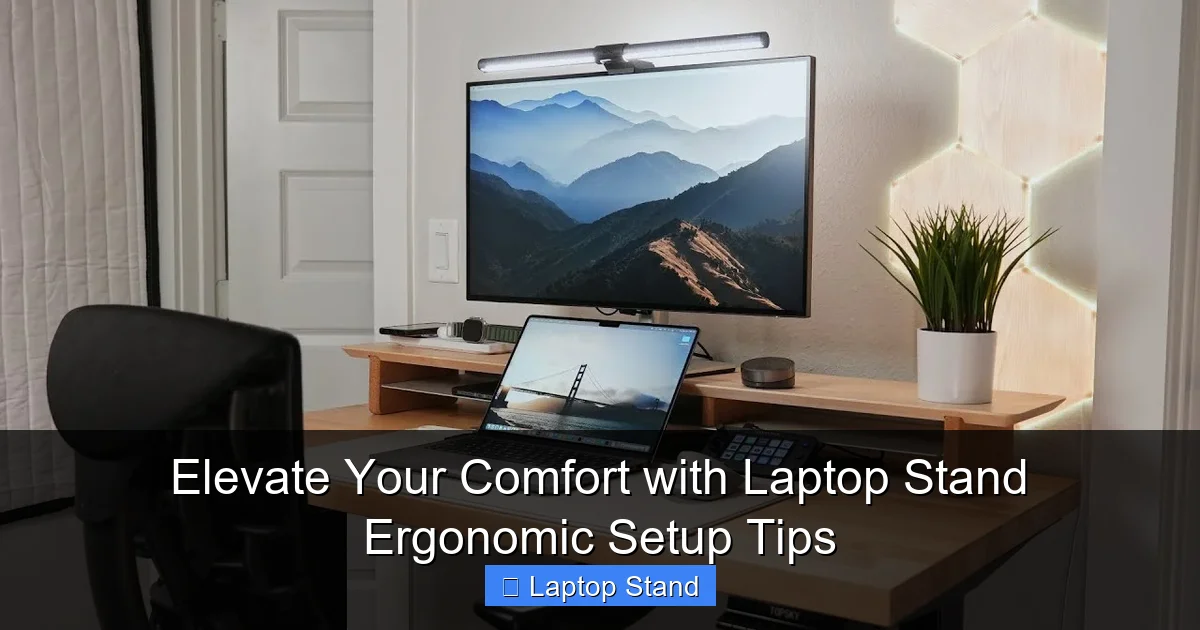
Visual guide about Elevate Your Comfort with Laptop Stand Ergonomic Setup Tips
Image source: i.ytimg.com
Step 1: Choose the Right Laptop Stand
The first step in creating an ergonomic setup is selecting an appropriate laptop stand. Here are some factors to consider:
Consider Your Laptop Size
Not all laptop stands are created equal. Look for a stand that accommodates your laptop’s size and weight. Some stands are adjustable, which is a great option for those who use different devices.
Material and Stability
Choose a stand made from sturdy materials to ensure stability. A wobbly stand can lead to frustration and distractions while you work.
Portability
If you travel frequently, consider a lightweight and foldable laptop stand. This will allow you to maintain your ergonomic setup anywhere you go.
Step 2: Adjust the Height
The height of your laptop stand is crucial for maintaining good posture. Follow these tips:
Screen at Eye Level
The top of your laptop screen should be at eye level when you are sitting comfortably in your chair. This will help prevent neck strain. You can achieve this by:
- Using an adjustable stand.
- Stacking books or other objects under your laptop if you don’t have a stand.
Eye Distance
Maintain a distance of about 20-30 inches from your eyes to the screen. This distance reduces eye strain and allows you to focus comfortably.
Step 3: Position Your Keyboard and Mouse
Next, it’s essential to consider the placement of your keyboard and mouse. Here’s how to do it:
Keep Them Close
Your keyboard and mouse should be positioned close to your laptop to minimize reaching. Ideally, your elbows should be at a 90-degree angle.
Wrist Position
Ensure your wrists are straight while typing. You can use a wrist pad for added support. Avoid bending your wrists upward or downward.
Step 4: Choose the Right Chair
Your chair plays a vital role in your overall ergonomic setup. Consider the following:
Support
Choose a chair that provides good lumbar support. This support will help maintain the natural curve of your spine.
Adjustability
Look for a chair that is adjustable in height and offers options for tilting. This flexibility allows you to customize your sitting position.
Step 5: Lighting and Environment
The lighting in your workspace also affects your comfort. Here are some suggestions:
Natural Light
Whenever possible, set up your workspace near a window to take advantage of natural light. It is easier on the eyes and can boost your mood.
Reduce Glare
Position your laptop to avoid glare from windows and overhead lights. You can also use an anti-glare screen protector if necessary.
Step 6: Take Regular Breaks
Even with the best ergonomic setup, sitting for long periods can lead to fatigue. Follow this advice:
Set a Timer
Use a timer to remind yourself to take breaks every 30-60 minutes. Stand up, stretch, and move around to promote circulation.
Incorporate Movement
During breaks, consider doing light exercises or stretching to relieve tension and refresh your mind.
Step 7: Use Accessories Wisely
Enhance your ergonomic setup with the right accessories:
External Keyboard and Mouse
Using an external keyboard and mouse can help maintain a comfortable wrist position. They allow you to place your laptop screen at the correct height without compromising your typing comfort.
Footrest
If your feet don’t reach the ground comfortably, consider using a footrest. This will help maintain good posture and reduce pressure on your lower back.
Troubleshooting Common Issues
If you experience discomfort even after setting up your ergonomic workstation, consider these troubleshooting tips:
Adjust Your Setup
Sometimes, small adjustments can make a significant difference. Experiment with different heights and distances until you find what feels best.
Consult a Professional
If discomfort persists, it may be beneficial to consult an ergonomics expert or a healthcare professional for personalized advice.
Conclusion
Creating an ergonomic laptop stand setup is essential for maintaining comfort and productivity. By following these tips, you can elevate your workspace to support your body and enhance your overall computing experience. Remember, small changes can lead to significant improvements in your comfort and well-being. So take the time to set up your laptop stand correctly, and enjoy the benefits of a healthier workspace!
🎥 Related Video: Transform Your Workspace With Laptop Tower Stand by obVus Solutions!
📺 obVus Solutions
Spending hours every day hunched over a laptop is a literal pain in the neck—and shoulders and back. A laptop stand is a simple …