Emptying your Shark robot vacuum is a quick, essential task for maintaining its powerful suction. This guide provides clear, step-by-step instructions for locating, removing, and cleaning the dust bin on all popular Shark robot models. Following these simple steps will ensure your vacuum runs efficiently for years to come.
Contents
Key Takeaways
- Power Down First: Always turn off and stop your robot vacuum before attempting to empty it to ensure safety and prevent mess.
- Know Your Model: The location of the dust bin release button varies slightly between Shark AI, ION, and EZ models, so identify yours first.
- Empty Over a Trash Can: Hold the dust bin directly over your trash can to avoid debris falling back onto your floor or the vacuum.
- Clean the Filter Regularly: Tap out the fine dust from the filter every time you empty the bin to maintain optimal airflow and suction power.
- Inspect for Clogs: Use the opportunity to check the bin’s intake port and the vacuum’s main brush for hair or string tangles that can impede performance.
- Reinsert Correctly: Ensure the bin clicks securely back into place; an improperly seated bin will prevent the vacuum from starting its next cleaning job.
- Establish a Routine: For best results, empty the bin after every few cleaning sessions, especially in high-traffic or pet-friendly homes.
A Simple Guide to Empty Your Shark Robot Vacuum
Your Shark robot vacuum is a hardworking helper. It zips around your home, picking up dust, dirt, and pet hair. But to keep it working its best, it needs a little help from you. The most important regular task is emptying its dust bin.
It might seem simple. And it is! But doing it the right way makes a big difference. A full bin can clog the filter. It can strain the motor. It can even stop your robot from starting its next job. This guide will walk you through the entire process. We will cover all the popular Shark robot vacuum models. You will learn how to empty the bin, clean the filter, and spot potential problems. Let’s get your helper back to work!
Getting Ready: Before You Start
First, let’s get set up. You only need a few things.

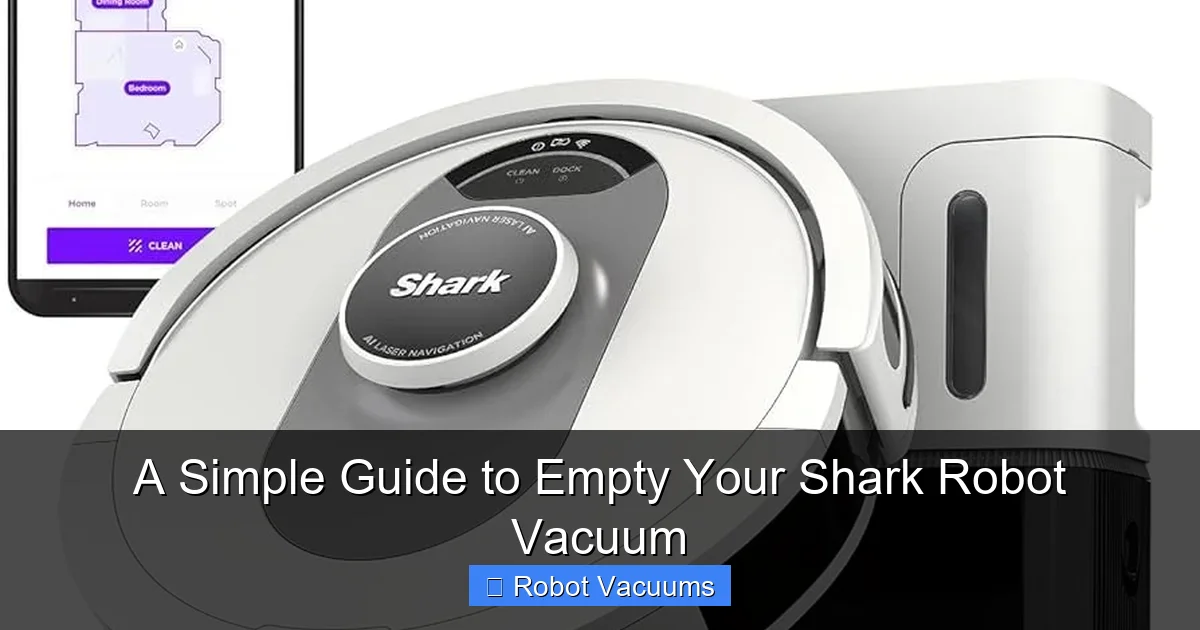
Visual guide about A Simple Guide to Empty Your Shark Robot Vacuum
Image source: res.cloudinary.com
- Your Shark Robot Vacuum: Make sure it is not currently running a cleaning cycle.
- A Trash Can: Have one with a open bag ready. Doing this over a trash can is the key to a clean process.
- A Clean, Dry Cloth: Useful for wiping out the bin.
- A Flat Surface: A table or counter is great for the cleaning steps.
Safety First! Always send your robot back to its dock and let it power down. You can also press the “CLEAN” or power button on the robot to turn it off. This prevents any accidental starts or messes.
Step-by-Step: How to Empty the Dust Bin
The core process is the same for most Shark robots. The main difference is how you access the bin.

Visual guide about A Simple Guide to Empty Your Shark Robot Vacuum
Image source: vacuumspal.com
Step 1: Locate and Remove the Dust Bin
Look at the top of your robot vacuum. The dust bin is usually under a lid or hatch on the rear half of the machine.
- For Shark AI Robot, ION Robot, and similar models: Find the large rectangular lid on top. Press the release button (often labeled “BIN”) at the back of this lid. Lift the lid open. You will see the handle of the dust bin. Pull it straight up and out.
- For Shark EZ Robot and some older models: The entire top cover might be the bin. Look for a release latch on the sides or back. Squeeze or press the latch and lift the whole top section off.
Tip: If you’re unsure, check your user manual. A quick online search for your model number and “dust bin” will also show you pictures.
Step 2: Empty the Bin Over the Trash Can
Hold the dust bin directly over your trash can. Find the bottom door or latch on the bin itself. This is usually a small, sliding button or lever. Open it. All the collected debris will fall out. You might need to give the bin a gentle tap or shake to get fine dust to dislodge.
Pro Tip: To minimize dust clouds, open the bin door slowly and hold it close to the trash bag. If you have allergies, you might do this step outside or while wearing a mask.
Step 3: Remove and Clean the Filter
This step is crucial for maintaining suction. The filter is located inside the dust bin compartment.
- Look inside the empty bin. You will see a rectangular or circular filter frame.
- Gently pull the filter straight out. It might be snug, so use a careful wiggling motion.
- Take the filter to your trash can. Tap it firmly against the inside edge of the can to knock loose the fine, powdery dust. Do not wash the filter unless your manual specifically says it is washable. Most Shark robot filters are not.
- If the filter looks very dirty or gray, it’s time for a replacement. Check the Shark website or manual for the correct filter part number.
Step 4: Check for and Clear Clogs
While the bin is out, take a quick 30-second look for blockages.
- Bin Intake Port: Look at the hole where dirt enters the bin from the vacuum. Shine a flashlight in. Use a long, thin object like a pencil or the end of a paperclip to pull out any packed dirt or hair.
- Main Brush Roll: Turn your robot over. Check the main brush for wound-up hair, strings, or carpet fibers. Use scissors or the provided cleaning tool to cut and remove these tangles.
Step 5: Reassemble and Reinsert
Now, put everything back together.
- Place the clean, dry filter back into its slot in the dust bin. Make sure it sits flat and secure.
- Close the bottom door of the dust bin until it clicks.
- Align the dust bin with the slot inside your robot vacuum. Slide it all the way down. You should hear and feel a firm click. This tells you it’s locked in place.
- Close the top lid of the vacuum. It should also click shut.
You’re done! Your Shark robot is ready for its next cleaning mission.
Troubleshooting Common Issues
Sometimes, things don’t go perfectly. Here are simple fixes.
Visual guide about A Simple Guide to Empty Your Shark Robot Vacuum
Image source: vacuumdecision.com
Bin Won’t Come Out
If the bin feels stuck, don’t force it. Double-check that the vacuum is off. Make sure you are pressing the correct release button fully. Look for a second latch you might have missed. Gently wiggle the bin as you pull.
Robot Says “Empty Dust Bin” But It’s Empty
This is a common sensor error. First, take the bin out and put it back in, ensuring a solid click. Turn the robot off and on again at its power button. If the message persists, the sensor inside the bin compartment might be dirty. Use a dry cotton swab to gently clean the small sensor window.
Loss of Suction After Emptying
This almost always points to the filter. Did you forget to put it back in? Is it damp? Did you tap out all the fine dust? A clogged filter is the number one cause of weak suction. Remove it and clean it again thoroughly.
Building a Good Maintenance Routine
Emptying the bin is part of a bigger picture. For a truly happy robot vacuum, follow this simple schedule.
- After Every 2-3 Cleaning Sessions: Empty the dust bin and clean the filter by tapping.
- Weekly: Check and clean the main brush roll and side brushes. Wipe the sensors with a dry cloth.
- Monthly: Inspect the wheels for debris. Check the charging contacts on the dock and robot for dust.
- Every 6 Months: Consider replacing the filter and the main brush if it looks worn.
This routine takes just minutes. It saves you hours of frustration and keeps your floors spotless.
Conclusion
Emptying your Shark robot vacuum is a simple five-minute task. But its impact is huge. A clean bin and filter mean powerful suction on every run. It means your robot can finish its job without errors. It also extends the life of your machine.
Remember the core steps: power down, remove the bin, empty it, clean the filter, check for clogs, and click it all back in. Make it a regular habit. Your floors will thank you. And your hardworking robot helper will keep buzzing along happily for years. Now go enjoy your clean home!
🎥 Related Video: How to maintain the Shark IQ Robot Self-Empty™ – Base & Filters
📺 Shark Home
Learn how to properly maintain your Shark IQ Robot® vacuum’s Self-Empty Base and filters. To learn more, visit sharkclean.com.